
Table of Contents
Update (Jan 13, 2026): The official redemption page for OpenAI’s servicemember/veteran offer (chatgpt.com/veterans-claim) appears to be temporarily unavailable and may return a 404, which suggests new redemptions may be paused while the program is updated. This article is for informational purposes only—it summarizes OpenAI’s publicly described promotion, and availability/eligibility can change at any time. Please rely on the latest official updates from OpenAI (their announcement and Help Center guidance) for the most current status and instructions.
Unlocking 1 Year of ChatGPT Plus for Career Reintegration
This guide details how eligible U.S. service members can secure a full year of ChatGPT Plus (valued at $240). Unlike standard military discounts, this is a specialized initiative designed specifically to assist personnel bridging the gap between active duty and the civilian workforce.
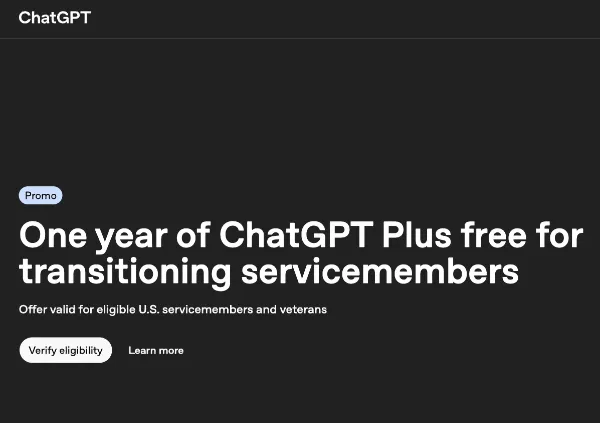
1. Understanding the “Transition Window” (Eligibility)
A common misconception is that this offer applies to all veterans. It does not. OpenAI has structured this specifically as a transition assistance tool.
To qualify via the verification partner (SheerID), you must currently fall into one of these two specific categories:
- The “Exiting” Phase: You are an Active Duty service member with a confirmed separation or retirement date scheduled within the next 12 months.
- The “Reintegration” Phase: You are a Veteran who has separated from service within the last 12 months.
Pro Tip: If you retired two years ago, you unfortunately do not qualify. This program is strictly time-gated to the 12-month window surrounding your discharge date to help with immediate job placement needs.
2. Preparation: Before You Click
To ensure a smooth verification process and avoid getting stuck in “pending” status, take these preparatory steps:
- Email Strategy: Do not use your
.milemail address for your actual ChatGPT account login, as you will lose access to that inbox after separation. Create or use a personal email (Gmail, Outlook, etc.) that follows you into civilian life. - Document Readiness: While SheerID often verifies status automatically using their database, have your Title 10 Orders, Separation Orders, or a redacted DD-214 (Member-4 copy) saved as a PDF on your device. You may need to upload this if the database check is inconclusive.
3. Execution: The Claim Process
Step 1: Account Hygiene Log in to the specific OpenAI account you intend to use for the next year.
- Warning: Once applied, the subscription cannot be moved to a different email address.
Step 2: Access the Portal Go to the dedicated landing page.
Step 3: The SheerID Verification You will be redirected to the SheerID interface. Enter your data exactly as it appears on your service records.
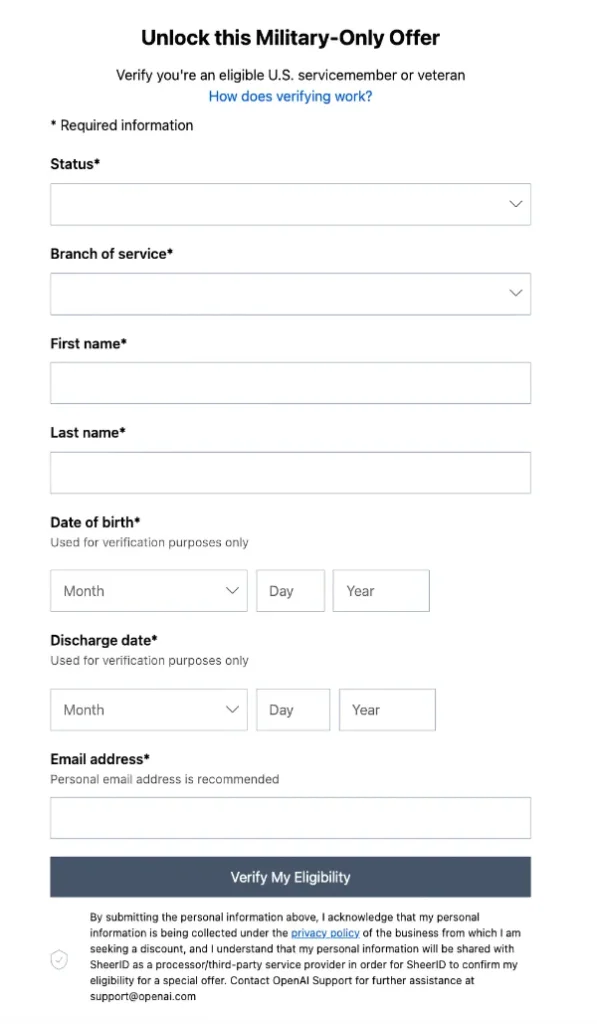
- Note on Privacy: The email address you enter in the SheerID form is for verification receipt only; it does not strictly have to match your ChatGPT login email, though keeping them the same reduces confusion.
Step 4: Activation & Billing Setup Upon approval, you will be prompted to “subscribe.”
- Credit Card Requirement: You may still be asked to enter a payment method. This is standard for subscription services to facilitate auto-renewal later. You will see a total of $0.00 due today.
Join our Telegram Group:
https://t.me/+IuIEVyJ2STQ3ZDAx
4. The “Fine Print” Survival Guide
The Terms of Service for this specific offer contain strict clauses that differ from a normal paid subscription. Ignoring these could cost you the benefit.
- The “No-Cancellation” Rule (Critical): In a paid plan, if you cancel mid-month, you keep access until the month ends. However, under this free grant, if you click “Cancel Plan,” your access to ChatGPT Plus may be terminated immediately.
- Action Item: Do not try to “cancel now to avoid being charged in a year.” You will lose the free year instantly.
- The Renewal Trap: The plan is set to auto-renew at the standard rate (approx. $20/month) after 365 days.
- Action Item: Set a calendar alert for 360 days from today titled “Review ChatGPT Subscription.”
5. Leveraging the Tool: Strategic Use Cases
Since this benefit is intended to help you transition, here is how you can maximize the GPT-4 and Data Analysis features included in Plus to accelerate your civilian career:
- “Military-to-Civilian” Resume Translation: Upload your evaluation reports (OERs/NCOERs) or VMET (Verification of Military Experience and Training) and ask ChatGPT: “Translate these military accomplishments into corporate ‘result-oriented’ bullet points for a Project Manager role in the logistics sector.”
- Interview Simulation: Use the Voice Mode in the mobile app to practice. Prompt it: “Act as a hiring manager for a tech company. Conduct a behavioral interview with me based on the job description I just pasted. Give me feedback on my answers.”
- Skill Gap Analysis: Paste your current resume and a target job description. Ask: “Identify the technical skills gaps between my experience and this job listing, and recommend 3 specific certifications I should pursue to close that gap.”
6. Troubleshooting Common Issues
- “I’m already a subscriber”: If you currently pay for Plus via the Apple App Store or Google Play, you must cancel that subscription manually through your phone settings first. OpenAI cannot override third-party app store billing. Wait for it to expire, then claim this offer.
- “SheerID rejected me”: If the instant check fails, you have 3 attempts to upload documentation. Ensure your scanned documents clearly show your full name and a date relevant to the 12-month window. Blur out sensitive info like Social Security Numbers before uploading.