Choose your AI. Deliver high-quality subtitles.
Use Gemini or DeepSeek APIs, local LLMs through Ollama, or Codex. Translate directly, correct STT captions, or add an original SRT or transcript as reference.
FCP Subtitle Assistant by Orbit Moon Alpha
Choose from three AI routes—APIs, local LLMs, or Codex—in a native Mac workspace built for Final Cut Pro. Translate and review subtitles, deliver bilingual captions, and repair source-caption issues when needed. Use project conversations to understand your video and find more creative inspiration.
Three ways to use AI. High-quality subtitle translation, ready to deliver.
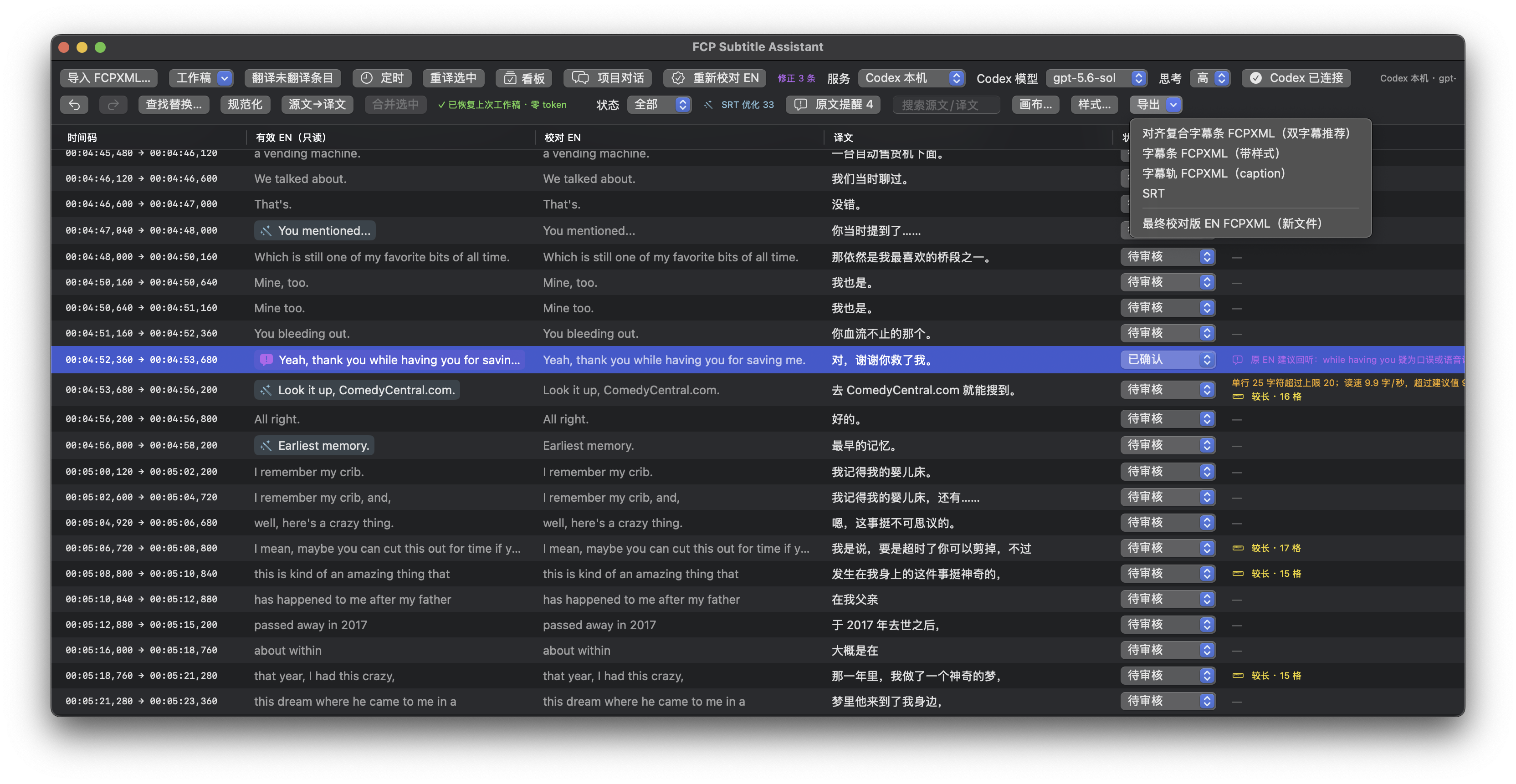

Use Gemini or DeepSeek APIs, local LLMs through Ollama, or Codex. Translate directly, correct STT captions, or add an original SRT or transcript as reference.
Review and edit every caption in the app, then export bilingual subtitles, styled title captions, caption tracks, or SRT. Import through FCPXML and continue adjusting subtitles in current Final Cut Pro releases.
Project conversations can use multiple video projects as context to help generate titles, summaries, chapters, review suggestions, and editing ideas.
The macOS version will be available to download soon
Leave your email for the latest updates.